cv tips job-search
10 CV Mistakes That Tank Your Match Score
Your CV might be hurting your AI match score without you knowing it. Here are the 10 most common mistakes—and exactly how to fix them.
M
Matcher Team 5 min read

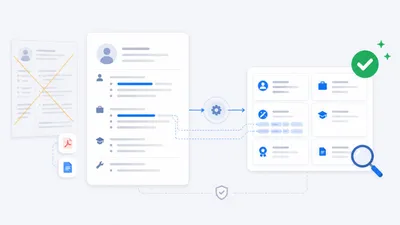
AI matchers and ATS scanners can only work with what your CV gives them. If key signals are missing, unclear, or trapped in the wrong format, your score drops—even when you’re perfectly qualified.
Fix these 10 issues and you’ll see an immediate lift in both your match score and human response rate.
TL;DR
- Make your skills and outcomes easy to extract (clear Skills section + quantified bullets).
- Mirror the job’s phrasing where it’s true for you.
- Keep formatting simple: single column, standard headers, consistent dates.
- Cut noise (old/irrelevant content, generic buzzwords).
- Name titles clearly and use a concise Summary to frame your fit.
1) No Skills section
Why it hurts
- Matchers and ATS often weight explicit skills lists heavily. If skills only appear buried in prose, they’re easy to miss.
Fix
- Add a dedicated Skills section with plain terms separated by commas.
- Example: customer support, conflict resolution, scheduling, CRM, vendor management, budgeting
Quick check
- Can someone skim and list your top 8–12 skills in 5 seconds?
2) Non-standard job titles
Why it hurts
- Unusual titles don’t map cleanly to searches and filters.
Fix
- Use a standard title up top, keep the official title inside the role description.
- Example: Customer Success Manager (official title: Client Happiness Lead)
Quick check
- Would a recruiter’s search for the common title find you?
3) Missing quantified achievements
Why it hurts
- “Improved results” is low-signal. Scores rise when outcomes are concrete.
Fix
- Use: Action + Metric + Timeframe (+ Context).
- Example: Reduced average response time from 24h to 6h in Q1 by streamlining the handoff process.
Quick check
- Do at least half your bullets end with a number or concrete outcome?
4) Dense paragraphs instead of bullets
Why it hurts
- Long paragraphs get skimmed past; key phrases are lost.
Fix
- Use 3–5 crisp bullets per role, 1–2 lines each, verb → action → result.
Quick check
- Can a 10-second skim spot your top outcomes?
5) Outdated or irrelevant experience crowding the page
Why it hurts
- Old roles dilute signal and hide what matters now.
Fix
- Focus on the last 10–15 years. Summarize older roles in 1–2 lines or drop them if irrelevant.
Quick check
- Is 80% of page space devoted to the last 5–8 years?
6) Inconsistent date formats and job data
Why it hurts
- Parsers struggle with mixed date styles and unclear timelines.
Fix
- Pick one format and stick to it (e.g., Jan 2023–Present). Ensure titles, employers, and locations follow a consistent pattern.
Quick check
- Do all roles show Title, Company, Location, Dates in the same format?
7) No professional Summary
Why it hurts
- Without a frame, the matcher and the recruiter guess your direction.
Fix
- Add 2–4 lines: who you are, core strengths that map to the role, what you’re targeting.
- Example: Operations professional with 6+ years improving service quality and on‑time delivery. Strengths in scheduling, vendor coordination, and process simplification. Seeking roles where ownership and clear goals drive reliable results.
Quick check
- Does your Summary echo the language of the jobs you’re targeting?
8) Missing or minimal education and training details
Why it hurts
- Some roles filter on degree or formal training.
Fix
- Include Degree, Institution, Year (or “In progress”). Add relevant certifications or continuing education when applicable.
Quick check
- Would a filter for your degree/certification pass your CV?
9) Layouts that break parsing (images, tables, columns)
Why it hurts
- Multi-column designs, text boxes, and image-based text can scramble parsing.
Fix
- Single column. Standard section headers (Summary, Experience, Education, Skills). Export a text-based PDF (ensure text is selectable).
Quick check
- Copy-paste from your PDF. If it’s garbled, change the template.
10) Generic language and buzzwords
Why it hurts
- Phrases like “results-driven” or “great communicator” add little signal.
Fix
- Swap every buzzword for a specific example.
- Instead of “strong communicator”: Presented quarterly updates to senior leadership; aligned priorities across 4 departments.
Quick check
- Can you replace every soft claim with a proof point?
A 15-minute cleanup plan
- Minute 1–3: Add/update Summary to mirror target roles.
- Minute 4–6: Build/refresh Skills section (8–12 items that match target roles).
- Minute 7–11: Top-two roles—rewrite 3–4 bullets each with metrics and the job’s phrasing.
- Minute 12–13: Standardize dates and headers; ensure single-column.
- Minute 14–15: Remove one outdated role or compress older content.
Make this easier with Matcher
- Open a job ad and click Analyze.
- See which phrases your CV is missing and where to place them.
- Generate a tailored CV + one-paragraph cover letter in one click (ATS-friendly structure).
- Get suggestions to strengthen your profile for future roles.
Install the extension → /install
Related reads
- How ATS Systems Really Work (And How to Beat Them) → /blog/how-ats-systems-really-work-and-how-to-beat-them
- How to Personalize Your CV for Each Job → /blog/personalize-cv-for-each-job
- Why You’re Not Getting Interview Calls → /blog/not-getting-interviews