Why You’re Not Getting Interview Calls (Even With the Right Experience)
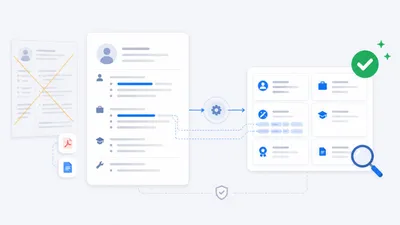
Your CV is hitting three filters—ATS, recruiter, hiring manager. Here’s why a generic CV stalls and how to fix it with small, targeted edits or 1‑click personalization.

You sent forty applications. Silence—or two auto “thanks, but no” replies.
It’s not that you lack experience. It’s that one generic CV can’t speak the exact language of every job ad. The result: you hit hidden filters and stall before a human ever engages.
TL;DR
- Your CV must pass three filters: ATS, recruiter skim, hiring manager read.
- A generic CV misses exact phrases, clear relevance, and cultural alignment.
- Make 5–10 targeted edits per role—or do it in 1 click with Matcher.
The three filters your CV must pass
- ATS (software scan)
- Screens for phrase-level keyword matches pulled from the job ad.
- Struggles with vague synonyms and unconventional formatting.
- Your move: mirror the ad’s exact phrases in natural places (Summary, Skills, top bullets) and keep a clean, single-column layout.
- Recruiter (10-second skim)
- Looks for obvious alignment at a glance: job title, relevant skills, recent outcomes.
- Your move: put the most relevant role and 1–2 proof points first; remove anything that distracts.
- Hiring Manager (2-minute read)
- Evaluates scope, results, and signs of cultural fit (ownership, collaboration style, pace).
- Your move: quantify results, clarify your level of responsibility, and reflect the work style they value.
Why a generic CV fails these filters
- “Similar” isn’t “same” for software. The ad says “client relationship management”; your CV says “customer interactions.” Close in spirit, but not a literal match.
- Relevance buried is relevance lost. If your best example sits as bullet three or four, it often won’t be seen in a skim.
- Cultural mismatch reads as risk. If the ad emphasizes “ownership” and “initiative,” but your wording centers on “support” without decision-making signals, you look misaligned—even if you have the experience.
Fix it with small, targeted edits (no redesign required)
- Use exact phrases from the ad where they naturally fit.
- Front‑load the most relevant outcomes for this specific role.
- Match the tone and priorities implied by the company (fast-moving vs structured; independent vs highly collaborative).
- Keep the format simple and ATS‑friendly: no columns, graphics, or text inside shapes.
Mini before/after examples (STAR)
Example A: Coordination → Ownership
- Before: Coordinated activities across departments to support projects.
- After: Owned cross‑department projects from planning to delivery; aligned stakeholders and delivered on time across three consecutive quarters.
Example B: Service quality → Measurable improvement
- Before: Handled customer issues and maintained service quality.
- After: Resolved customer cases with a first‑contact resolution rate of 88%, reducing escalations and improving satisfaction scores quarter over quarter.
Example C: Sales support → Direct impact
- Before: Assisted the sales team with proposals and client meetings.
- After: Prepared targeted proposals and led needs assessments, contributing to a 25% increase in accepted proposals in six months.
Example D: Process work → Outcome and scale
- Before: Improved internal processes to increase efficiency.
- After: Simplified a key workflow, cutting average turnaround time from five days to three while maintaining accuracy standards.
Use STAR quickly: Situation/Task → Action → Result. Keep the “Result” concrete (percentage change, time saved, volume handled, quality metric).
A quick ATS-safe checklist
- Exact phrases from the ad appear in your Summary, Skills, and top bullets.
- Standard section names (Summary, Experience, Education, Skills).
- Consistent dates (MM/YYYY) and clear job titles.
- Single column, no images/icons/text boxes; text remains selectable.
- Metrics visible (%, time saved, cost reduced, customer impact).
Your 10-second skim rubric (what the recruiter sees)
- Top third answers “Can they do this job?” in one glance:
- Role/Title alignment (e.g., “Operations Coordinator,” not an unrelated title).
- 3–5 core competencies that mirror the ad’s language.
- 1–2 recent, quantified outcomes that match the role’s goals.
If those signals aren’t immediately obvious, the rest rarely gets read.
Your 2-minute read rubric (what the manager looks for)
- Scope: What size, complexity, or responsibility did you hold?
- Decisions: Where did you show initiative or judgment?
- Results: What changed because of your actions?
- Context: What kind of environment? Fast-paced, regulated, client-facing, internal?
Signal these in your top bullets for each role. One rich bullet beats three vague ones.
A simple personalization workflow
Manual (about 20–30 minutes per role)
- Read the job ad and highlight 5–9 core phrases (role, core tasks, key tools/processes, top outcomes).
- Edit your Summary to reflect the role’s language and priorities.
- Update your Skills with the ad’s exact phrases (no stuffing; keep it honest).
- Reorder bullets so the most relevant outcomes sit at the top for your last 1–2 roles.
- Scan for tone fit (ownership vs collaboration emphasis) and adjust wording accordingly.
Shortcut with a general AI (about 10 minutes)
- Prompt suggestion: “Here’s the job ad: [paste]. Here’s my CV: [paste]. Rewrite my Summary, Skills, and top bullets to maximize alignment using the ad’s exact phrases, preserving truth, and keeping ATS‑friendly formatting.”
Fastest path with Matcher (about 60 seconds)
- Open or paste the job ad.
- Matcher compares the ad with your CV and your Ideal Job Profile (IJP).
- You get a match score (skills + culture), flagged red flags, and a tailored CV + cover letter ready to send—plus suggestions to strengthen your profile. No prompts. No formatting headaches.
Install the extension → /install
Common mistakes to avoid
- Vague verbs with no outcome: “involved in,” “helped with,” “supported.”
- Synonyms that miss the ad’s exact language.
- Overloading one section with all keywords—spread them where they fit naturally.
- Leaving your strongest, most relevant achievements in the middle or bottom of a list.
- Fancy templates that break parsing or hide text inside graphics.
Related reads
- What Is an Ideal Job Profile (IJP)? → /blog/ideal-job-profile
- How to Personalize Your CV for Each Job → /blog/personalize-cv-for-each-job
- 5 Red Flags in Job Ads You Probably Miss → /blog/red-flags-job-ads
FAQs
-
Do I really need to tailor every application?
- Yes. Tailoring means 5–10 targeted edits, not a full rewrite. Those edits surface relevance and pass the skim test.
-
How many keywords should I include?
- Focus on the 5–9 phrases that appear consistently in the ad, placed naturally across Summary, Skills, and top bullets.
-
Should I redesign my CV?
- No. Clear structure and strong content beat design. Keep formatting clean and ATS‑friendly.
-
What if I don’t have exact metrics?
- Use relative outcomes (before/after, time saved, volume handled, rank). Be specific and truthful.
-
Can a cover letter help?
- A short, tailored paragraph that connects your background to the role’s priorities can reinforce fit—especially when it echoes your IJP.